

Two kids. Two places. One afternoon.
Ask Olaf to check your connected calendar and school updates for times and locations. See where plans overlap, then work out who needs to be where.
Meet Olaf. Ask it to find the school deadline, add the calendar dates, or text you a reminder—all in iMessage. You don’t have to keep it all in your head.

Right in iMessage
Text it. Exhale.
For the whole family
A shared plan.
Pajama day. The permission slip. A change to the meet. Ask Olaf what matters in your connected school updates, then set a reminder right in Messages.





From overlapping plans to the reminder you need tomorrow.
Ask Olaf to check your connected calendar and school updates for times and locations. See where plans overlap, then work out who needs to be where.
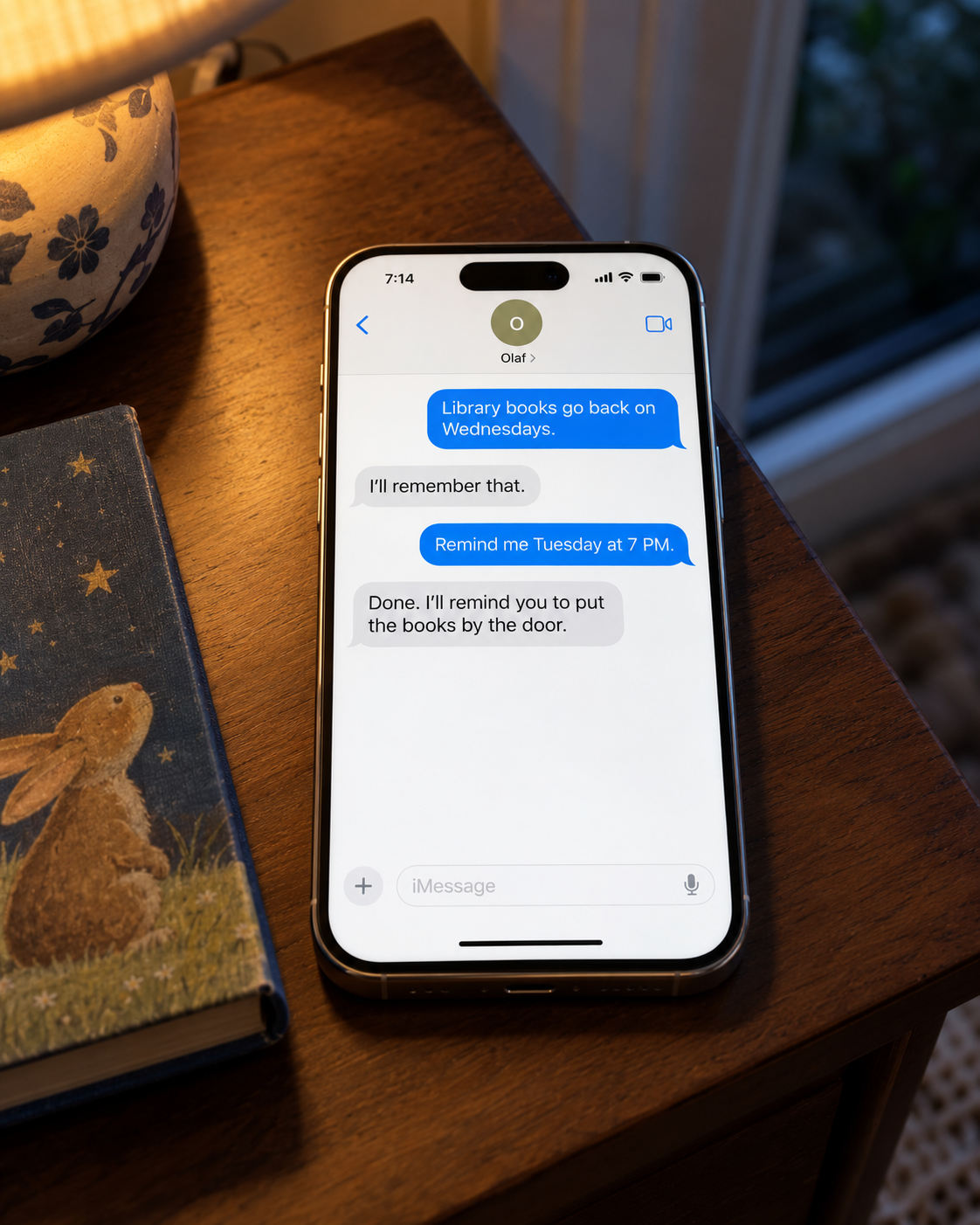
Text “Remind me at 7 to sign the permission slip.” Olaf sends you a message when it’s time. Library books, bins, returns—the small jobs count too.
School updates, calendar changes, dinner plans. Give Olaf the context, ask for help, and keep going with your day.

Ask about connected ParentSquare updates or school emails. Pull out the dates, forms, and things to pack.
“What do we need for the field trip?”

Add or move events on your connected Google or Outlook calendar. Send a flyer or screenshot to save typing it all out.
“Add these soccer practices to my calendar.”

Set up a morning briefing with your schedule and the updates that need your attention. Choose when it arrives in Messages.
“Send me a weekday briefing at 7 AM.”

Find meal ideas around your family’s preferences and what’s in the fridge. Turn the meals you choose into a shopping list.
“Three easy dinners this week. No peanuts.”

Save the packing list, the pickup plan, or a family preference. Ask for it later, update it, or tell Olaf to forget it.
“Remember this as our swim bag checklist.”

Ask Olaf to research options or help with a website. When a task needs your login, payment, or signature, it hands that step to you privately.
“Find a swim class that fits our weekend.”
Example requests. Available help depends on the accounts you connect and the website involved.
Add Olaf to your family’s iMessage group for shared plans and household details. Your private conversations, personal notes, and connected email accounts aren’t shared with other family members.
Connect the services you want help with. You can disconnect an account or ask Olaf to forget something you’ve shared.
Read our privacy policyOlaf is an AI household manager you text in Messages. Ask it to find a school deadline, add a calendar event, plan dinner, remember a family detail, or send you a reminder. You can talk one-to-one or add Olaf to your family’s iMessage group.
No. Once you’re invited, you talk to Olaf in Messages. Connect the email, calendar, or school accounts you want it to use; you don’t need to keep another household app up to date.
Olaf supports connected email and calendars, including Gmail, Outlook, Yahoo email, and Google and Outlook calendars. Supported school connections include ParentSquare; school notifications such as ClassDojo emails can also come through connected email.
You can add Olaf to your family’s iMessage group for shared plans. Your direct conversations and connected email accounts remain personal; information shared in the family group is for the household.
Join the waitlist below. When invited, start a conversation with Olaf in Messages and follow the connection links for the services you want to use.
Yes. Ask for dinner ideas based on what you have, turn your chosen meals into a shopping list, or save a packing list for next time. You can also set reminders for chores, returns, and the things that are easy to put off.
Yes. Send a photo or PDF in Messages, or ask Olaf to look in your connected email. It can pull out the details and add events or set reminders when you ask.
You’re welcome to join the Olaf waitlist. Olaf is a separate, iMessage-first family assistant; there is no automatic transfer of your Ollie history. Explore Olaf as an Ollie alternative and see what to expect when you’re invited.
Join the waitlist for an AI household manager you can text. We’ll email you when your invitation is ready.